
Introduction
Before you start editing, you’ll need clean, high-quality clips—most creators grab viral examples directly using FastVideoSave to study transitions, pacing, and editing flow. Once you have your reference footage, a proper CapCut video editing course will help you learn CapCut on PC, master transitions, and build skills for client work or certification.
This guide breaks down the best courses, where to learn, and the full CapCut curriculum for 2025.
What You Will Learn in a CapCut Editing Course (Full Curriculum)
Below is the complete module-style breakdown that most professional CapCut training programs follow:
Module 1 — Fundamentals
- Interface walkthrough (PC & Mobile)
- Timeline basics
- Importing / exporting
- Best settings for TikTok, Reels, Shorts
Module 2 — Cuts & Narrative Structure
- Jump cuts
- J-cut & L-cut
- Story pacing
- Multi-layer editing
Module 3 — Keyframes (Beginner → Advanced)
- Motion keyframes
- Zoom effects
- Rotations
- Speed ramping with keyframes

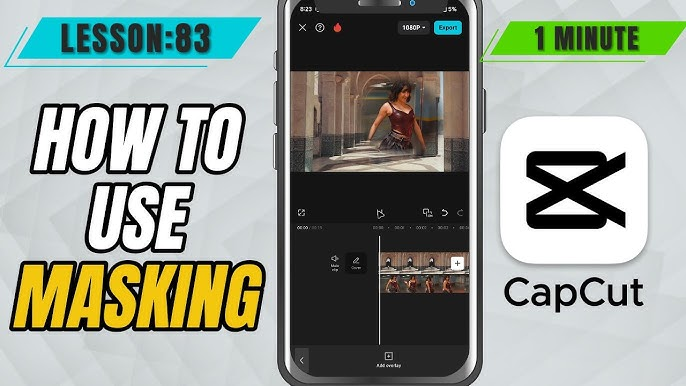
Module 4 — Masking Techniques
- Basic geometric masks
- Split-screen effects
- Clone transitions
- Reveal transitions using masks
Module 5 — Transitions & Motion Design
- Seamless transitions
- Trend-based CapCut transitions
- Whip, spin, shake effects
- Sound-driven transitions
Module 6 — Color Grading & Filters
- LUTs
- Skin tone correction
- Vibrance & highlight control
- Cinematic color presets
Module 7 — Effects & AI Tools
- Auto captions
- Background removal
- Stabilization
- AI filters & animations
Module 8 — Audio Mastering
- EQ for voice clarity
- Beat-sync editing
- Sound effects layering
Module 9 — Export Settings & Delivery
- 1080p & 4K export profiles
- Compression settings (Instagram, TikTok)
- Client-ready export workflows
Module 10 — CapCut Certification Prep
- Practice challenges
- Trend recreation
- Editing test workflows
Best CapCut Courses in 2025
Below are the top learning platforms with verified course structures.
1. Skillshare CapCut Course
Why it’s great:
- Short, project-based learning
- Great for beginner creators
- Covers transitions, masking, keyframes
Perfect for: Instagram editors, short-form content creators.
2. Udemy CapCut Masterclass
Why it’s great:
- Complete start-to-finish structure
- Includes downloadable resources
- Strong module on CapCut PC tools
Perfect for: Freelancers, YouTubers, client-video editors.
3. YouTube “Best CapCut Tutorials” (Free)
Top creators break down trends, effects, and step-by-step builds.
Search for:
- CapCut seamless transition tutorial
- CapCut masking advanced
- CapCut PC keyframe tutorial
Learn CapCut on PC (Key Advantages)
If you’re focusing on learn CapCut PC, here’s why PC is superior:
- Bigger workspace → faster editing
- Multi-track precision
- Better color grading control
- Easier audio mixing
- Ideal for YouTube, client projects, long-form edits
While mobile CapCut is powerful, PC unlocks pro-level workflows.
How to Practice: Download Trend Examples (using FastVideoSave)
To replicate trending edits (the fastest way to learn), use this workflow:
- Open FastVideoSave
- Download viral TikTok/Reels transitions
- Import into CapCut
- Study frame-by-frame transitions
- Recreate the effect using your footage
- Apply keyframes + masking + motion edits
This is the standard training method used in many CapCut certification programs.
CapCut Certification: Is It Worth It?
Yes, especially if you want:
- Portfolio credibility
- Client-ready professional proof
- Structured skill development
- Job opportunities in content teams
- Freelance trust-building
Most certifications don’t come from CapCut itself—they’re offered by course platforms.
FAQ
Is CapCut good for professional editing?
Yes. CapCut PC supports multi-layer editing, color correction, and advanced motion tools.
Can I get CapCut certification?
You can earn certificates from Udemy/Skillshare programs.
Is it better to learn CapCut on PC or mobile?
PC for precision, mobile for speed and convenience.
Do I need a paid course?
Not mandatory, but organized modules help you learn faster.
Conclusion
Whether you’re aiming for CapCut certification, mastering trend recreations, or leveling up your editing for TikTok/YouTube, your journey becomes easier when you combine training with real footage downloaded using FastVideoSave. Use the curriculum above to guide your learning path, and explore Skillshare and Udemy for structured, professional training.