You’ve spent hours using FastVideoSave to archive the best content from Instagram and TikTok. You have a folder full of inspiration.
But having the footage is only half the battle.
To build a career as a creator or freelancer in 2025, you need to know how to edit that footage into something unique. The difference between a reposter and a paid creator is editing skills.
Whether you want to edit Hollywood-style films or just make viral Reels, you don’t need a 4-year degree. You just need the right course.
We analyzed 20+ curriculums from Coursera, Udemy, and MasterClass to find the ones that actually get you hired.
Here are the 5 best online video editing courses to fast-track your career today.
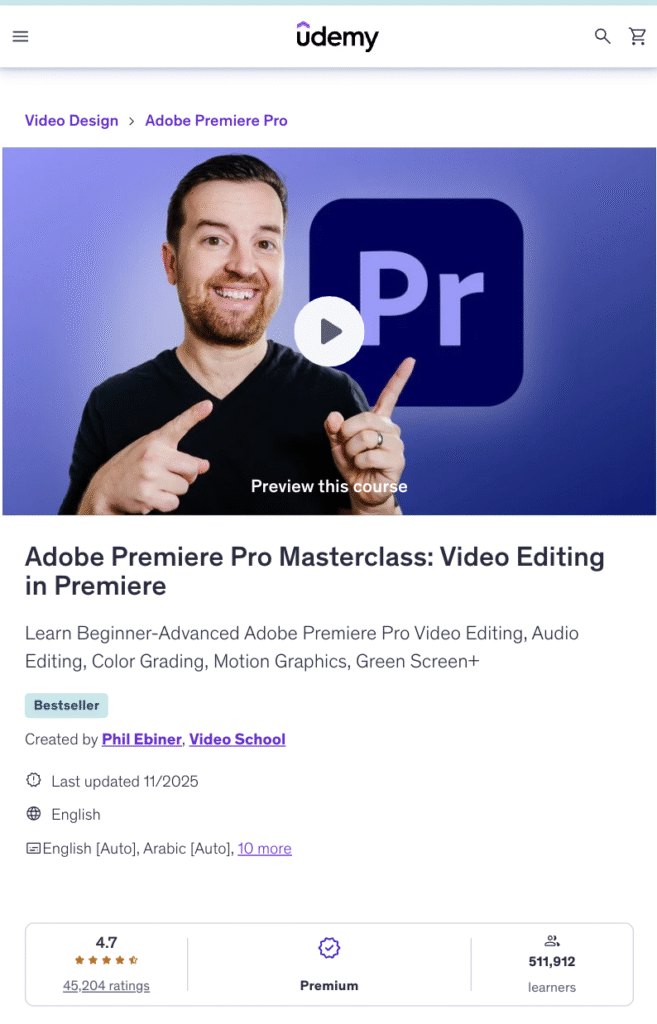
1. Adobe Premiere Pro CC Masterclass (Best for Freelancers)
If you want to get paid to edit for clients, you must know Adobe Premiere Pro. This Udemy course is widely considered the “Gold Standard” for beginners. It takes you from “opening the app” to “exporting a documentary.”
- Platform: Udemy
- Level: Beginner to Pro
- 💰 Pricing: Often on sale for $15 – $20 (One-time).
✅ Pros:
- Covers everything: Color correction, Audio mixing, and Green screen.
- Downloadable practice files (so you don’t have to search for footage).
- Lifetime access to updates.
❌ Cons:
- Does not cover AI tools or viral editing styles (mostly traditional editing).
⚠️ Who Should Avoid It?
Mobile-only editors. This is for serious desktop editing.
Pro Tip: Use FastVideoSave to download raw clips from your favorite creators, then use them as “Practice Footage” while you follow along with this course.
2. Coursera: Adobe Certified Professional (Best for Resumes)
If you want a job at a marketing agency (like Ecom Lifters) or a production house, you need a certificate. This specialization by Adobe on Coursera is recognized globally.
- Platform: Coursera
- Level: Intermediate
- 💰 Pricing: $39/mo (Free 7-day trial available).
✅ Pros:
- You get an official digital certificate to put on your LinkedIn.
- Taught by university-level instructors.
- Includes peer-reviewed assignments.
❌ Cons:
- Takes 3-4 months to complete (it is a serious commitment).
3. Ali Abdaal’s Video Editing Class (Best for YouTubers)
Don’t care about certificates? Just want to get millions of views? Skillshare is the home of the “Creator Economy.” Ali Abdaal’s course focuses on retention editing—how to keep people watching.
- Platform: Skillshare
- Level: Beginner
- 💰 Pricing: $14/mo (Subscription).
✅ Pros:
- Focuses on “Storytelling” not just buttons.
- Short, punchy lessons (you can finish it in a weekend).
- Perfect for creating Reels, TikToks, and YouTube vlogs.
❌ Cons:
- Skillshare is a subscription (you lose access if you stop paying).
4. DaVinci Resolve Training (Best Free Professional Option)
Did you know Hollywood movies are color-graded in DaVinci Resolve? And the basic version of the software is 100% free. Blackmagic Design (the creators) offers free official training videos that are better than most paid courses.
- Platform: Blackmagic Design Website
- Level: Advanced
- 💰 Pricing: FREE.
✅ Pros:
- Zero cost.
- Learn the exact software used in movies like Avatar and Dune.
- Best color grading training on the planet.
❌ Cons:
- Steep learning curve. It is much harder to learn than CapCut or Premiere.
⚠️ Who Should Avoid It?
Social media managers who just want to cut a quick 15-second Reel. DaVinci is overkill for that.
5. Full Time Filmmaker (Best for Career Launch)
This is the premium option. It’s not just an editing course; it’s a “business in a box.” It teaches you how to shoot, edit, and land clients.
- Platform: Private Course (Parker Walbeck)
- Level: All Levels
- 💰 Pricing: $799+ (High Ticket).
✅ Pros:
- Teaches the Business Side (Contracts, Pricing, Clients).
- Massive private community of filmmakers.
- Cinematic editing style.
❌ Cons:
- Very expensive compared to Udemy or Coursera.
Comparison Table: Which Course is Right for You
| Course | Best For | Price | Certificate? |
| Udemy Premiere | Freelancers | Low ($) | No |
| Coursera Adobe | Getting Hired | Med ($$) | Yes |
| Skillshare | YouTubers | Med ($$) | No |
| DaVinci Resolve | Colorists | Free | Yes (Exam) |
| Full Time Filmmaker | Business Owners | High ($$$) | Yes |
Frequently Asked Questions (FAQ)
What is the best free video editing course?
The official DaVinci Resolve Training by Blackmagic Design is the best free course. It covers professional Hollywood-level workflows without costing a penny.
Do I need a certificate to be a video editor?
No, most clients only care about your portfolio (Reel). However, if you want to work for a corporate agency or TV station, a Coursera Adobe Certification helps your resume stand out.
Can I learn video editing on my phone?
Yes. If you use CapCut or VN Editor, you can learn basic editing on YouTube. But for a professional career, we recommend learning desktop software like Premiere Pro or DaVinci Resolve.
Conclusion
The best investment you can make in 2025 is in your own skills.
Start by using FastVideoSave to build a library of footage to practice with. Then, enroll in Udemy (for budget) or Coursera (for a career) to turn that raw footage into a portfolio that gets you paid.